Everything Apitella watches for you — in one place.
Real screenshots of the real product. No mockups, no vaporware — this is what connecting a source and watching it actually looks like today.
One dashboard, every source
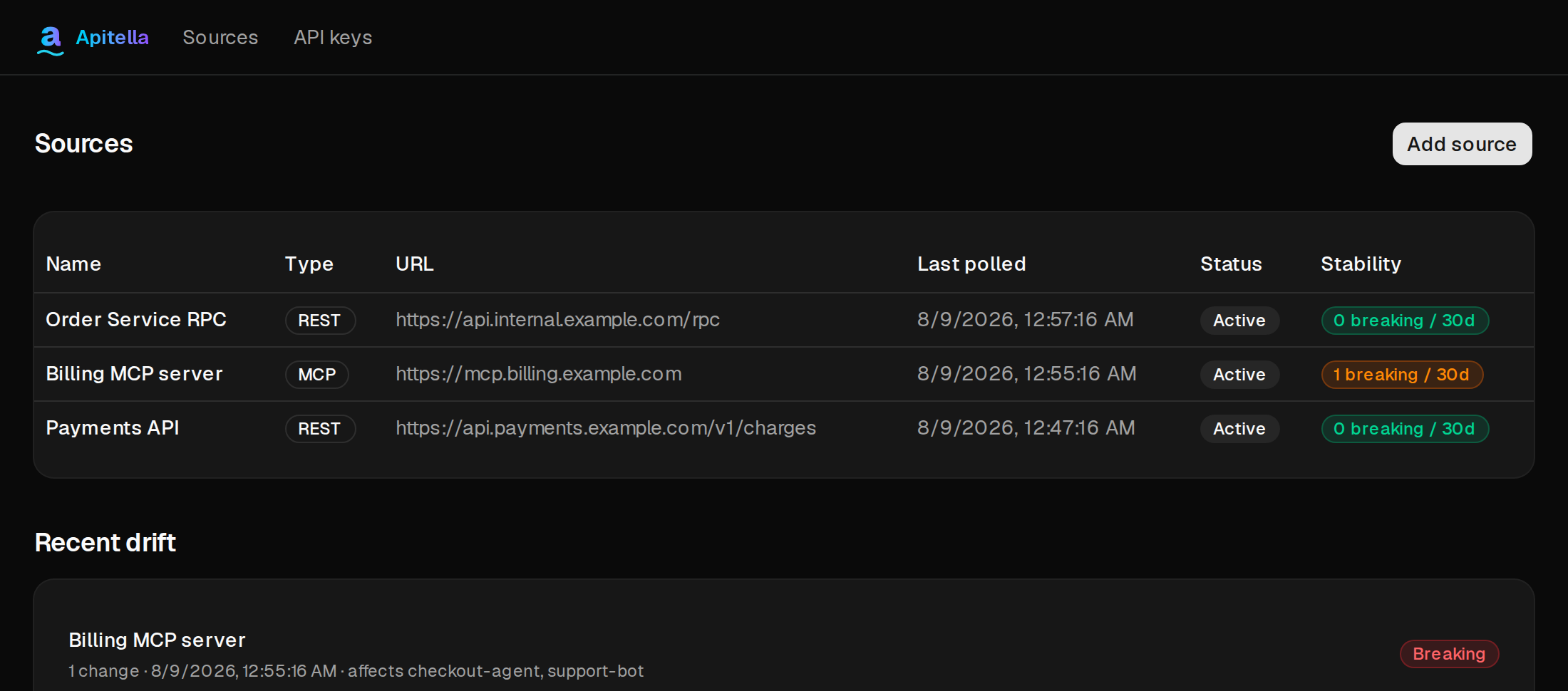
Every MCP server and REST endpoint you're watching, at a glance — type, last-polled time, and a 30-day stability score computed from your own drift history. No synthetic uptime math, just what actually happened.
Know exactly what breaks, and who it hits
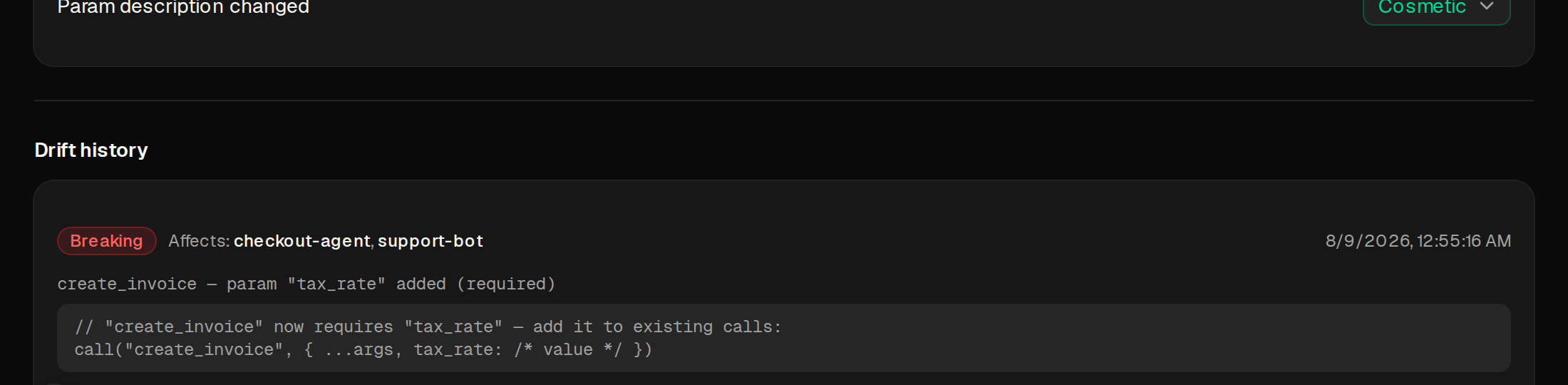
Every change is classified breaking, risky, notable, or cosmetic. When something breaking happens, Apitella generates a copy-pasteable fix and tells you which of your own agents or services are tagged as depending on it.
Health, from our own eyes
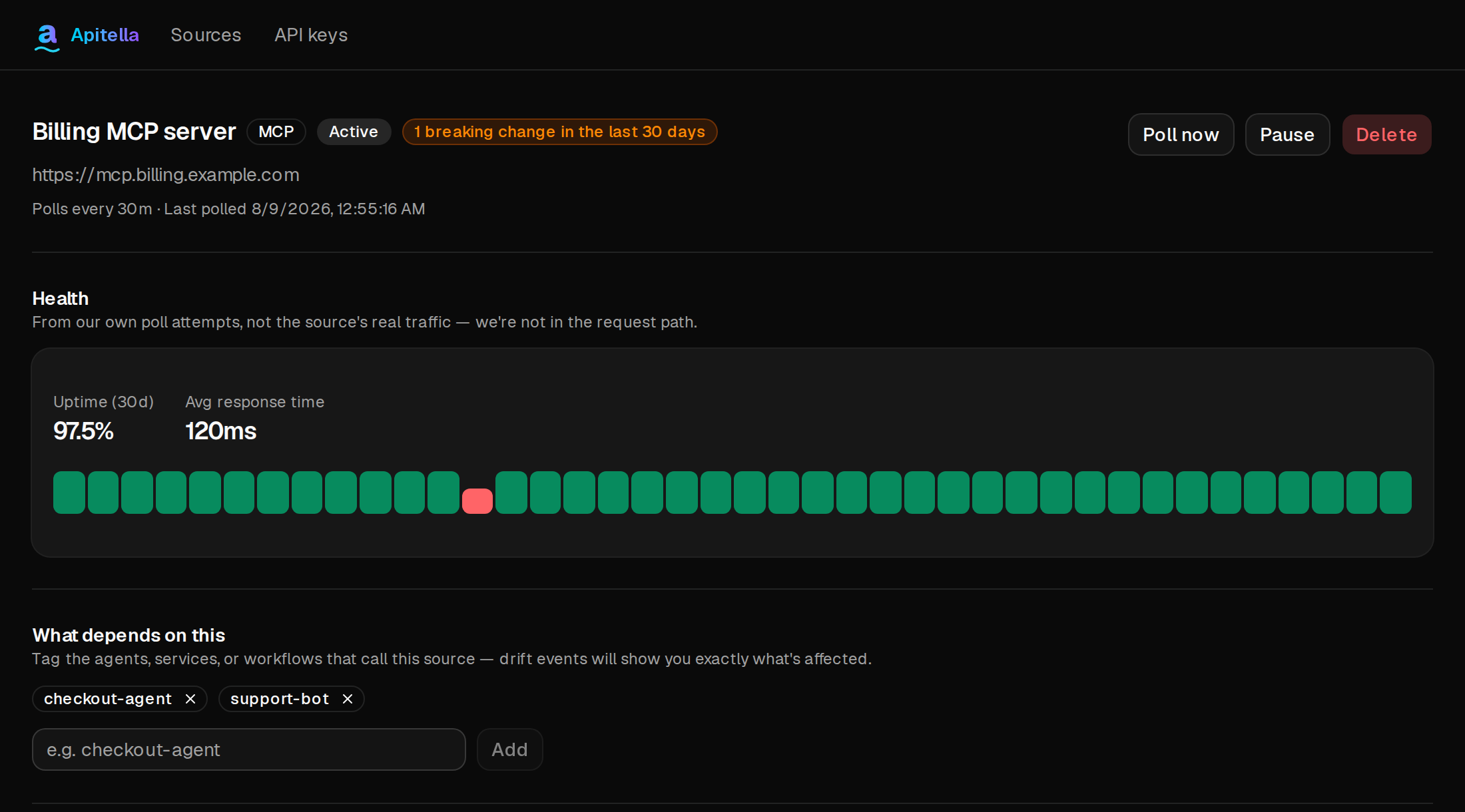
Uptime and response time computed from Apitella's own poll attempts — never the target's real traffic, since we're never in your request path. Tag what depends on a source so drift events show exactly what's at risk.
Send exactly the request you need
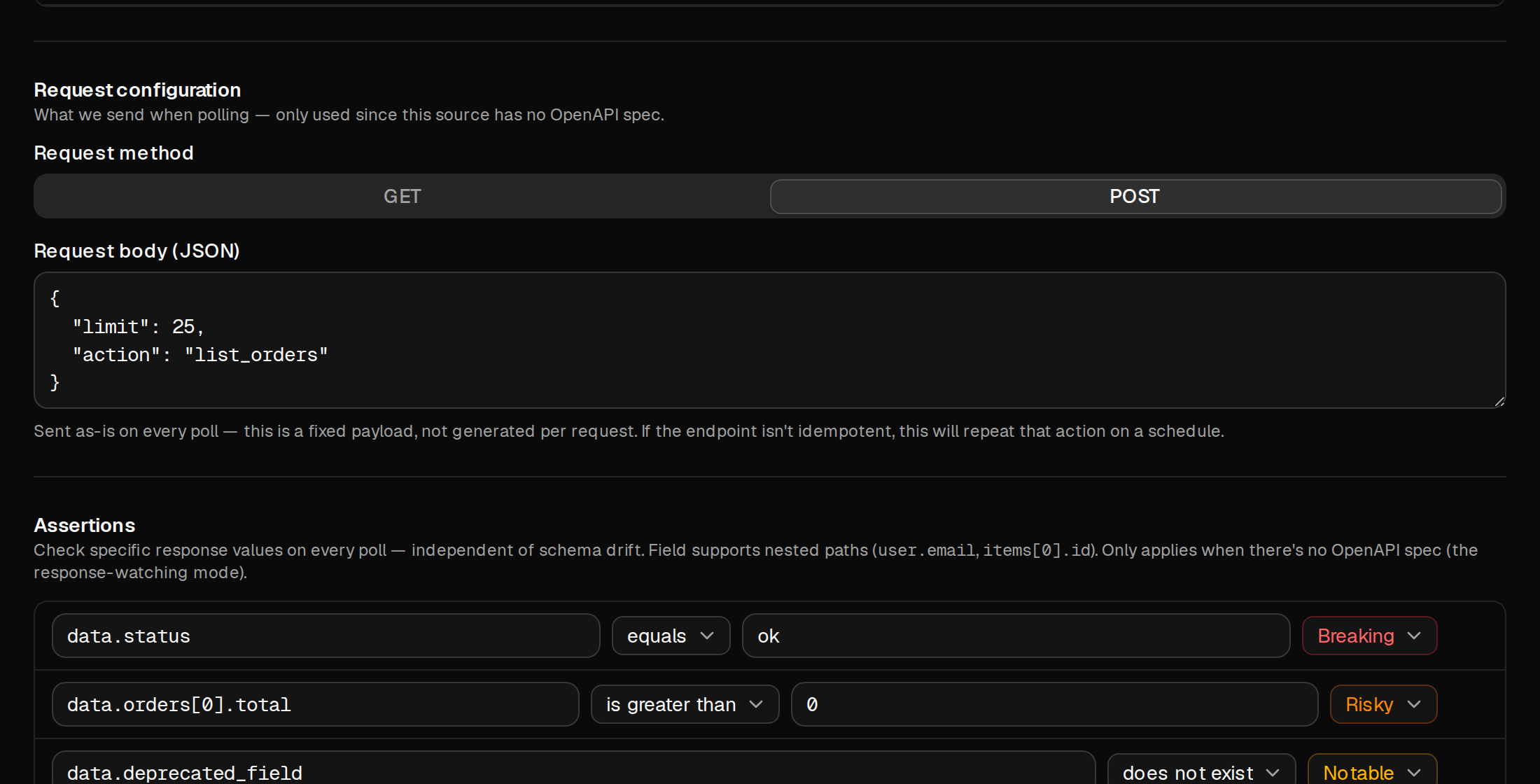
Custom headers, GET query parameters, or a fixed POST body — configure precisely what gets sent on every poll, for endpoints that need more than a bare, unauthenticated GET.

Assert on values, not just structure
Check specific response values — even nested ones like items[0].total — independent of schema drift. Each assertion carries its own severity, so a value going wrong is treated exactly as seriously as you decide.
Alerted the moment it breaks, your way
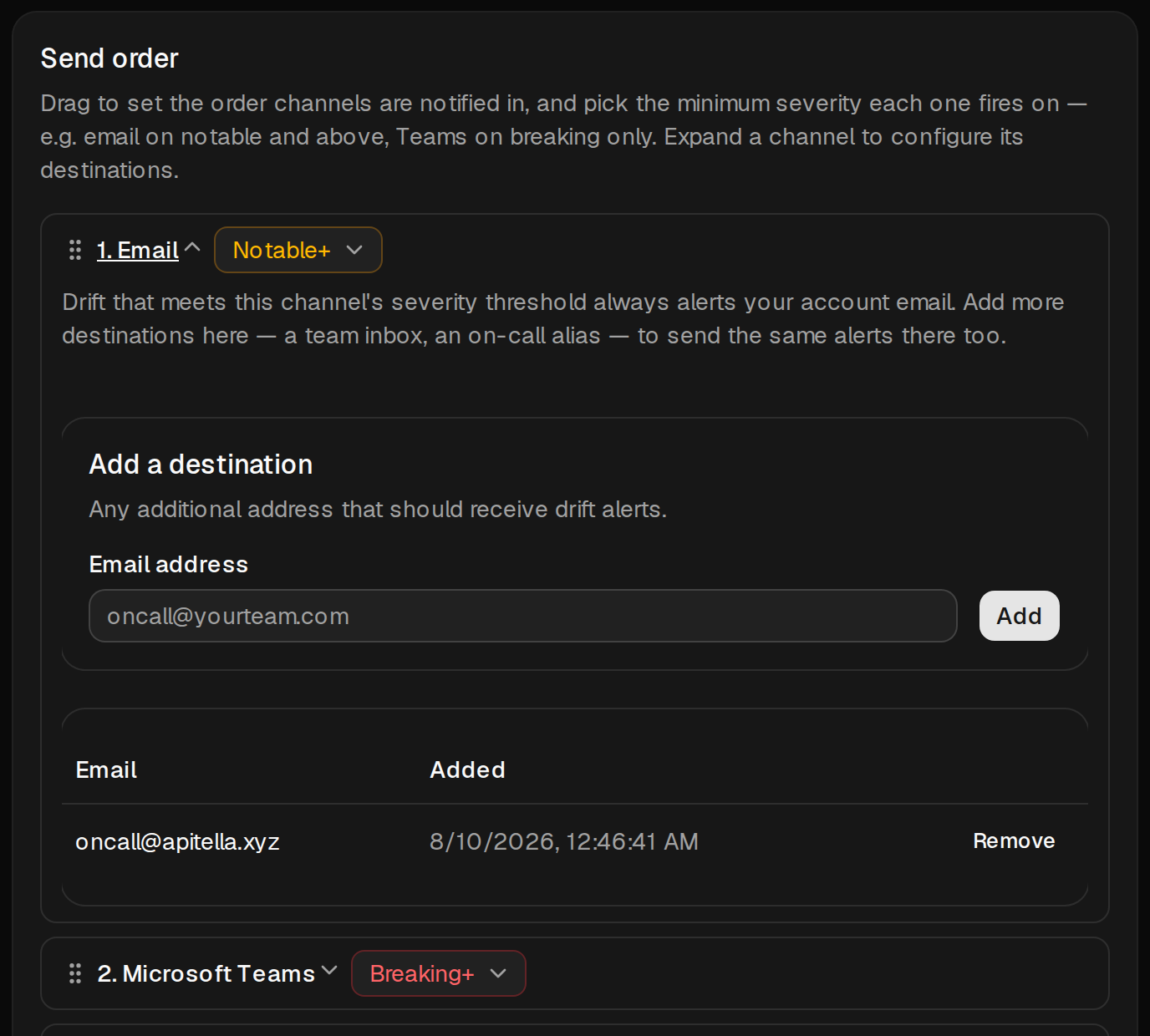
Email, Slack, and Microsoft Teams each get their own severity threshold — send notable changes to email and reserve Slack or Teams for what's actually breaking. Drag to set the order channels are notified in, and configure each one's destinations independently.
Or skip the routing and hit everyone at once
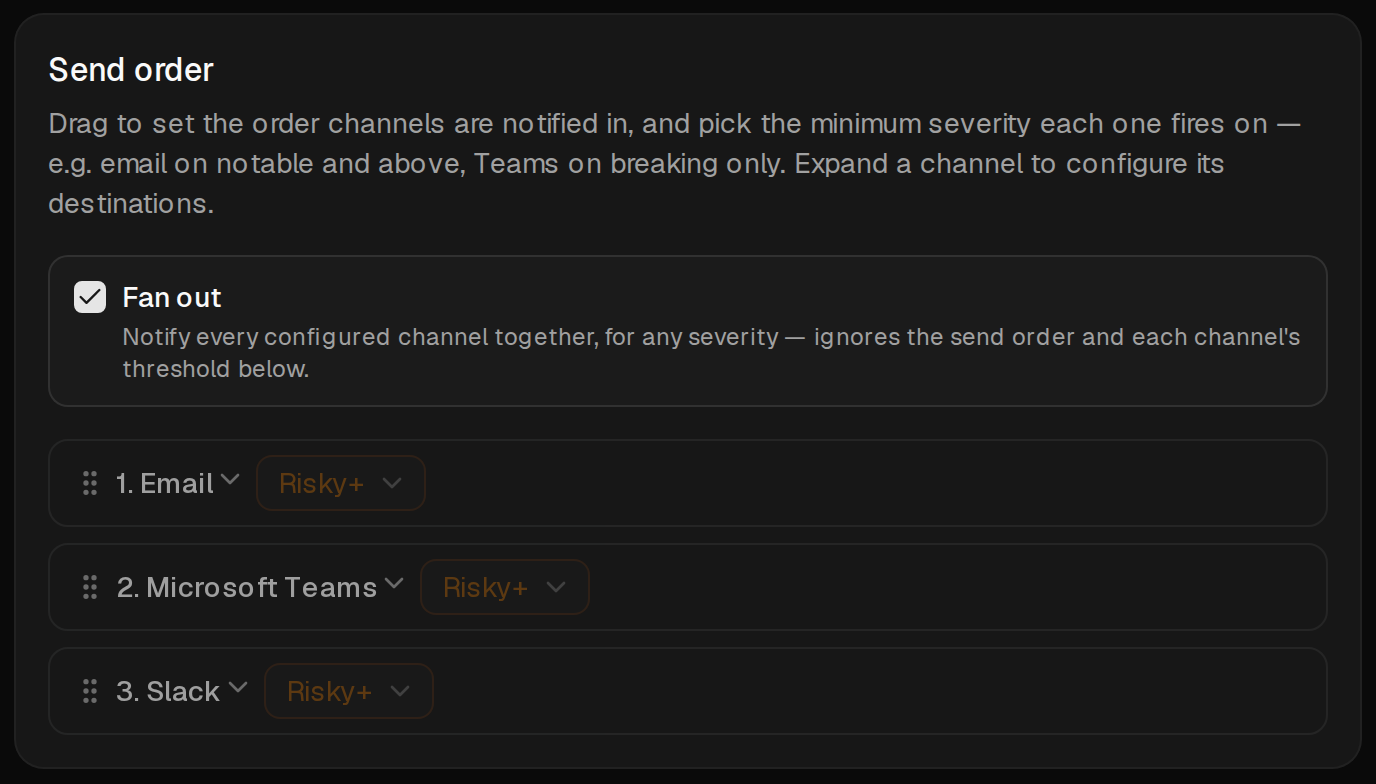
One checkbox turns off the per-channel thresholds and send order entirely — every configured channel fires together, for any severity. For teams that would rather just get the alert everywhere than tune per-channel rules.
Ready to watch your first source?
No credit card required. Free during early access.
Get started free